CFD Simulation for Power Electronics: A Practical Guide
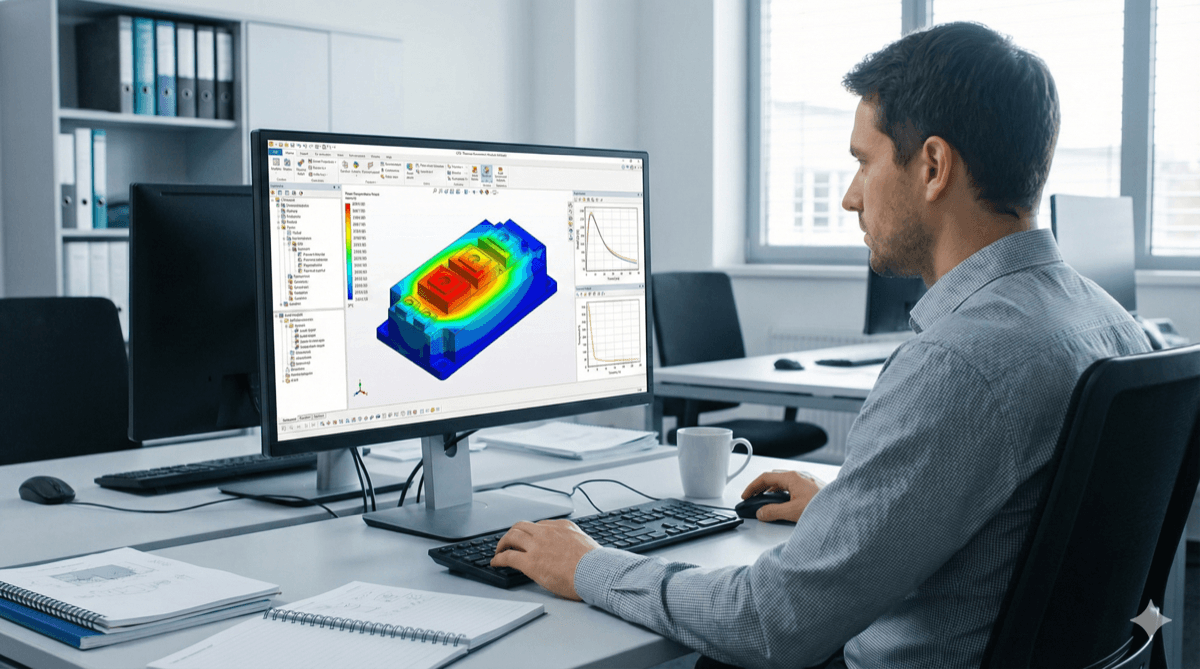
Computational Fluid Dynamics (CFD) simulation has become an indispensable tool for power electronics thermal design. By virtually testing thermal performance before building hardware, engineers can optimize designs faster and avoid costly prototype iterations. However, CFD is only as good as its inputs and assumptions. This guide covers practical CFD techniques that deliver accurate, actionable results for power electronics applications.
When to Use CFD
CFD simulation excels at solving problems where hand calculations and simple models fall short:
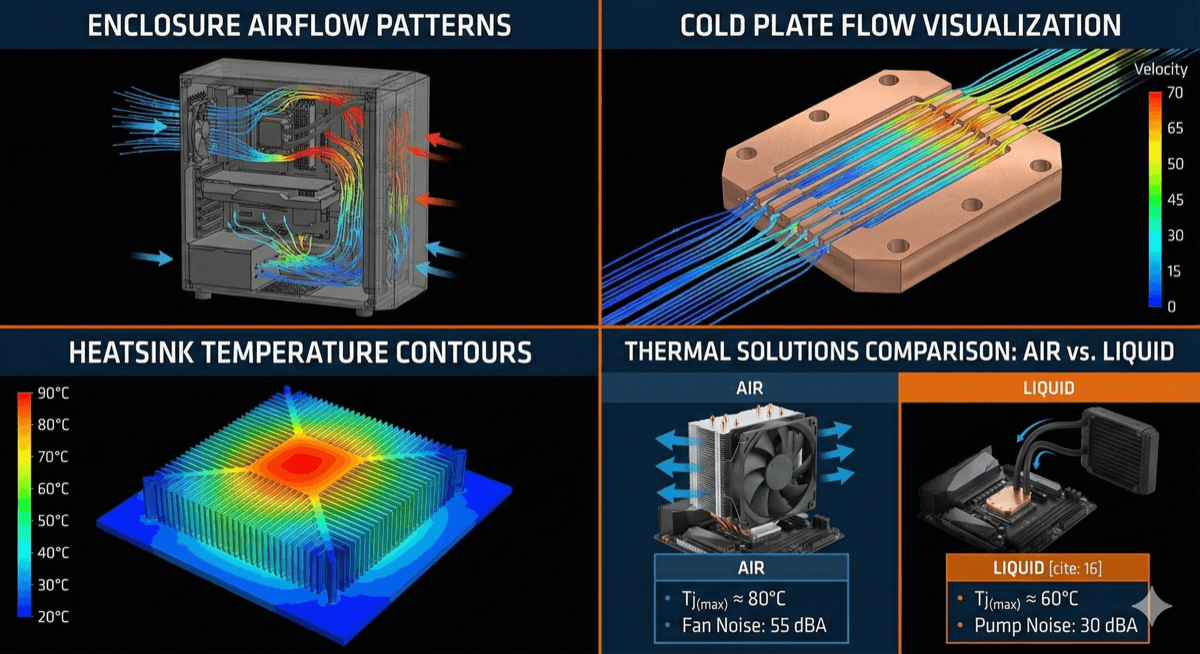
Complex geometries: Real enclosures have vents, internal structures, and component arrangements that create 3D flow patterns impossible to analyze analytically.
Multiple heat sources: Power electronics typically have numerous components generating heat. CFD captures thermal interactions and identifies hotspots that simplified models miss.
Forced convection optimization: Fan/blower selection and vent sizing significantly impact thermal performance. CFD quantifies these effects and guides optimization.
Natural convection: For passively-cooled systems, CFD predicts buoyancy-driven airflow patterns and ensures adequate cooling without fans.
Liquid cooling design: Internal flow distribution in cold plates and heat exchangers requires CFD to optimize channel geometry and ensure uniform cooling.
CFD is less valuable for:
- Simple, well-characterized geometries where correlations apply
- Early-stage conceptual design (use simpler tools first)
- When detailed geometry information isn't available
- Production troubleshooting where measurements are faster than simulation
The key is using CFD strategically where it provides insight that other methods cannot, rather than simulating everything.
Model Setup Best Practices
A well-constructed model is the foundation of accurate CFD results:
Geometry Preparation:
- Import CAD geometry and simplify features that don't significantly affect flow or heat transfer: small fillets, cosmetic details, threaded holes
- Keep flow-critical features: vents, baffles, component shapes and positions
- Create distinct bodies/regions for different materials
- Check for geometry errors: small gaps, overlapping surfaces, non-manifold edges
Material Properties:
- Specify accurate thermal conductivity for all solid materials
- Include temperature-dependent properties if significant variation occurs
- For PCBs, use anisotropic properties: typically 0.3-1 W/mK through-plane, 10-40 W/mK in-plane
- Don't forget thermal interface material properties between components and heatsinks
Boundary Conditions:
- Heat sources: specify total power dissipation for each component. Use volumetric heat generation for uniform heating or surface heat flux for directional heating
- Ambient conditions: include realistic air temperature, and for outdoor units, solar radiation on exposed surfaces
- Airflow: for fans, use manufacturer performance curves. For natural convection, set appropriate pressure boundary conditions
- Heat sink bases: if the heatsink extends beyond the model, specify an appropriate convection boundary
Mesh Generation:
- Start with automatic meshing, then refine critical regions
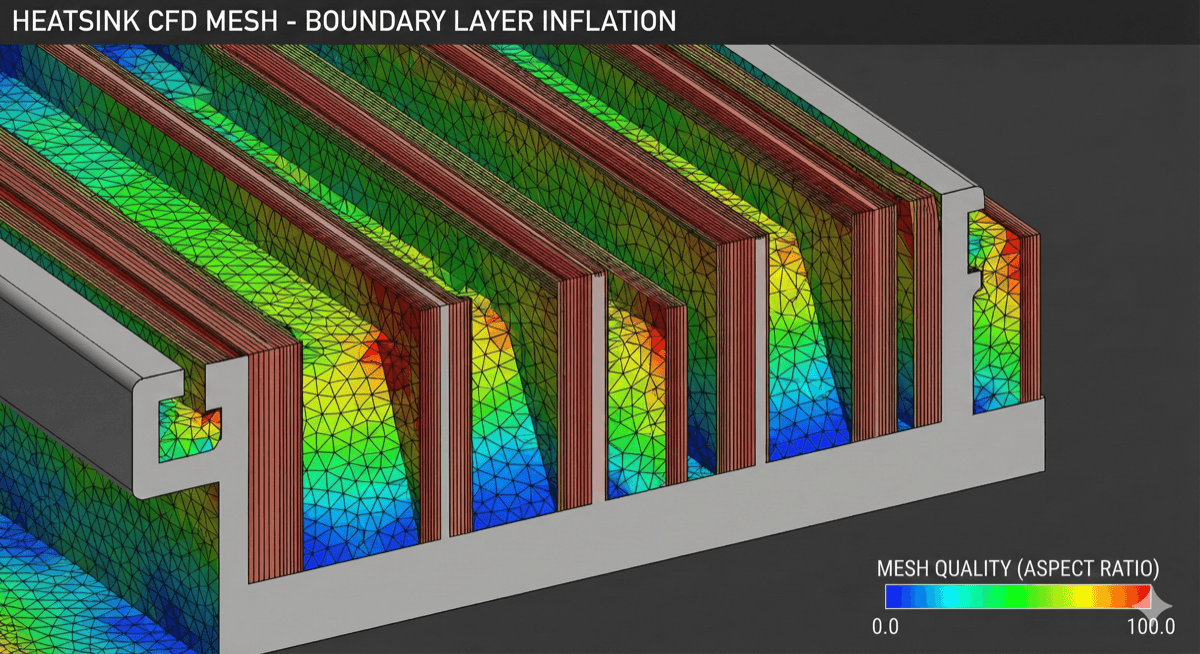
- Add inflation/boundary layers on heated surfaces and channel walls
- Target y+ < 5 for accurate near-wall heat transfer (lower for natural convection)
- Verify mesh-independent results by comparing solutions at different mesh densities
- Typical power electronics models require 2-10 million cells for adequate resolution
Physics and Solver Settings
Selecting appropriate physics models ensures accurate results:
Turbulence Modeling: For most power electronics applications with forced convection, the realizable k-ε model offers a good balance of accuracy and computational efficiency. For low Reynolds number flows (natural convection, low-velocity forced convection), consider the k-ω SST model which handles transition better.
Radiation: Include surface-to-surface radiation for systems with significant temperature differences between surfaces. This is particularly important for natural convection cases and outdoor equipment. Specify appropriate emissivity values (0.85-0.95 for painted surfaces, 0.1-0.3 for bare metals, 0.7-0.9 for PCBs).
Buoyancy: Enable buoyancy effects for natural convection and mixed convection (low-velocity forced air with significant temperature gradients). Use the Boussinesq approximation for temperature variations less than ~30°C; use ideal gas density for larger variations.
Conduction in Solids: Ensure conjugate heat transfer is enabled so heat conducts through solid materials to reach cooling surfaces. Multi-layer PCBs with copper planes significantly affect heat spreading—model these appropriately.
Convergence Criteria: Monitor residuals (target < 1e-4 for most quantities) and physical quantities of interest (component temperatures, mass flow rates). Solution is converged when monitored values stabilize, not just when residuals reach targets.
Steady-State vs. Transient: Most thermal design work uses steady-state analysis assuming worst-case continuous operation. Use transient simulation for duty-cycled loads or thermal shock analysis.
Results Interpretation
Extracting meaningful insights from CFD results requires careful analysis:
Temperature Contours: Start with temperature plots on critical components to identify hotspots. Compare maximum temperatures against component ratings. Look for thermal gradients that indicate poor heat spreading.
Flow Visualization: Streamlines and velocity vectors reveal flow patterns—where air goes, how fast, and whether it reaches hot components. Look for dead zones, recirculation, and flow bypass around heatsinks.
Heat Flux Analysis: Surface heat flux plots show where heat is actually being removed. This identifies which surfaces are working hard and which are underutilized. Use this to optimize heatsink sizing and placement.
Quantitative Extraction:
- Component junction temperatures (if thermal resistance from junction to case is included)
- Heatsink temperatures
- Air temperature rise through the system
- Mass flow rate through each vent
- Pressure drop across the system
Thermal Resistance Calculation: Calculate thermal resistance from simulation results: Rth = ΔT / P. This allows comparison with analytical estimates and experimental measurements.
Validation and Correlation
CFD simulation must be validated against experimental data to build confidence in results:
Thermal Testing Methods:
- Thermocouples: Simple and inexpensive for spot temperatures. Attach to component cases, heatsinks, and ambient locations.
- Thermal imaging: Captures full surface temperature distribution. Essential for identifying unexpected hotspots. Requires careful emissivity correction for accurate quantitative results.
- RTDs/NTCs: Embedded sensors for continuous monitoring. Good for validating steady-state temperatures.
Validation Approach:
- Build a prototype instrumented with temperature sensors at key locations
- Run the prototype under controlled conditions matching simulation assumptions
- Collect temperature data after reaching thermal steady-state
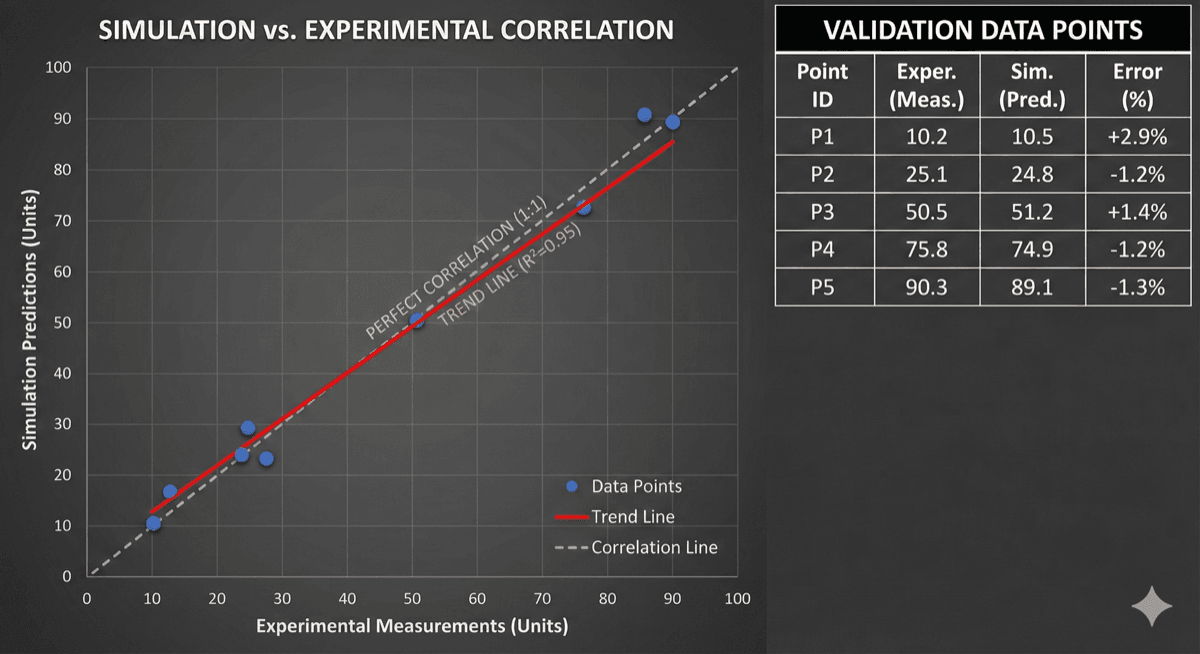
- Compare measured vs. simulated temperatures at each sensor location
Correlation Targets:
- Junction/case temperatures: ±5°C is typical achievable accuracy
- Heatsink temperatures: ±3°C with good TIM modeling
- Air temperatures: ±2°C for well-characterized boundary conditions
When Simulation Doesn't Match Reality: First, verify test conditions match simulation assumptions (ambient temperature, power levels, airflow conditions). Then examine model assumptions:
- Are heat source powers accurate?
- Are thermal interface resistances correct?
- Is the turbulence model appropriate?
- Are radiation effects included?
- Is the mesh adequate in critical regions?
Adjust model parameters systematically to match measured data, then use the correlated model for design optimization.
Design Optimization Workflow
Once validated, CFD becomes a powerful tool for design optimization:
Parametric Studies: Vary key design parameters (vent sizes, fan speed, heatsink dimensions) and observe the impact on thermal performance. Create response surfaces to understand sensitivities and identify optimal configurations.
Design of Experiments (DOE): For complex systems with many variables, use DOE techniques to efficiently explore the design space with minimum simulation runs. Full factorial studies are often impractical; fractional factorials or Latin hypercube sampling provide better coverage with fewer runs.
Automated Optimization: Advanced CFD tools support gradient-based or genetic algorithm optimization that automatically seeks optimal designs. Define objectives (minimize temperature, minimize pressure drop), constraints (maximum temperature, minimum flow rate), and design variables (dimensions, positions).
What-If Analysis: Use validated models to answer design questions quickly:
- What if ambient temperature is 10°C higher?
- What if one fan fails?
- What if power dissipation increases 20%?
Documentation: Archive simulation files, assumptions, and validation data. When design changes are needed later, having a validated baseline model saves weeks of work.
Common Pitfalls and How to Avoid Them
Learn from common CFD mistakes:
Over-trusting Results: CFD is an approximation of reality, not reality itself. Never trust simulation results without validation, especially for critical thermal designs.
Inadequate Mesh: Rushing mesh generation leads to inaccurate results. Always perform mesh sensitivity studies on new problem types to understand required mesh density.
Wrong Boundary Conditions: Garbage in, garbage out. Accurate boundary conditions—especially heat source powers and ambient conditions—are essential for meaningful results.
Ignoring Radiation: Radiation can account for 20-30% of heat transfer in natural convection systems. Excluding it significantly overpredicts temperatures.
Oversimplified Geometry: Removing "unnecessary" details can inadvertently change flow patterns. Validate simplified models against detailed models before committing to simplifications.
Forgetting Material Properties: Default air properties assume sea-level, 20°C conditions. High-altitude or high-temperature applications require adjusted properties.
Steady-State Assumption: Some problems are inherently transient. Power cycling, environmental changes, and thermal runaway scenarios require transient analysis.
By avoiding these pitfalls and following the best practices outlined in this guide, you can harness CFD's full potential for power electronics thermal design.
Related Services
Thermal Management
CFD simulation, heat sink design, liquid cooling systems, and thermal interface materials
CFD Simulation
Airflow analysis, thermal mapping, liquid cooling optimization, and fan selection
FEA Analysis
Structural stress, thermal-structural coupling, vibration analysis, and fatigue life prediction